
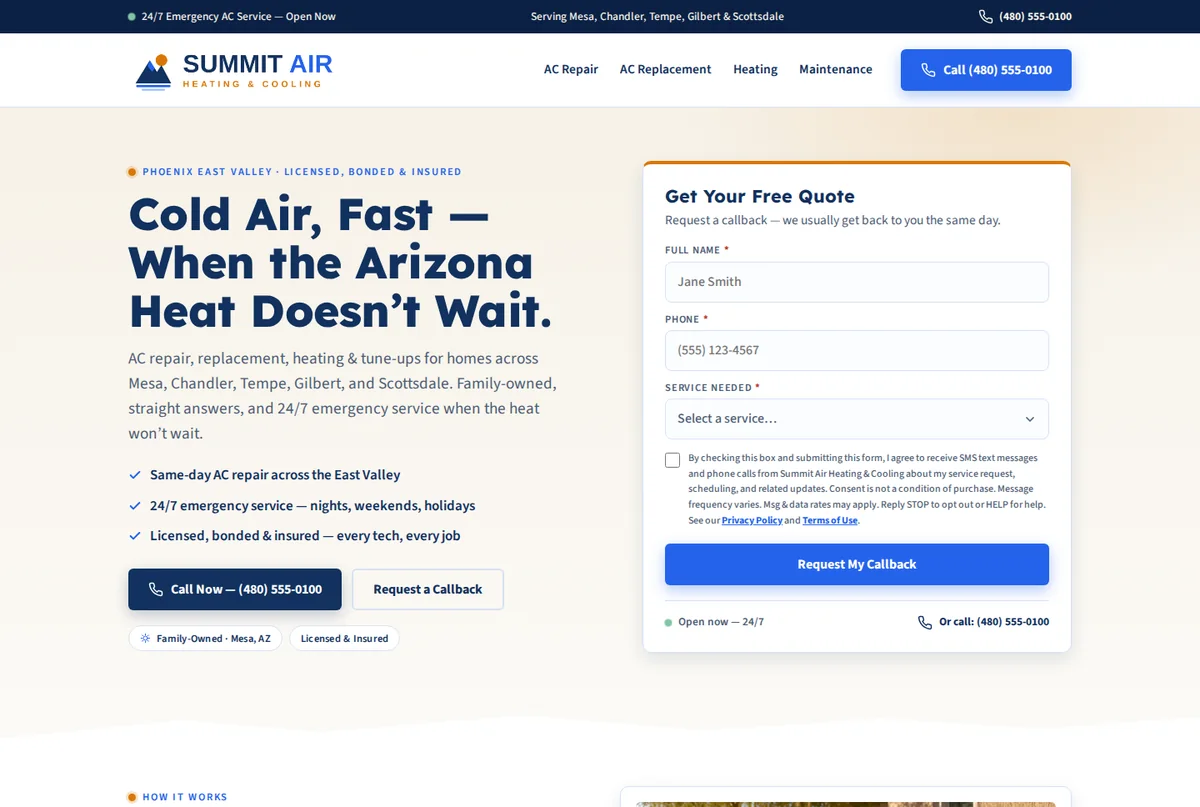
A website that brings in quote requests
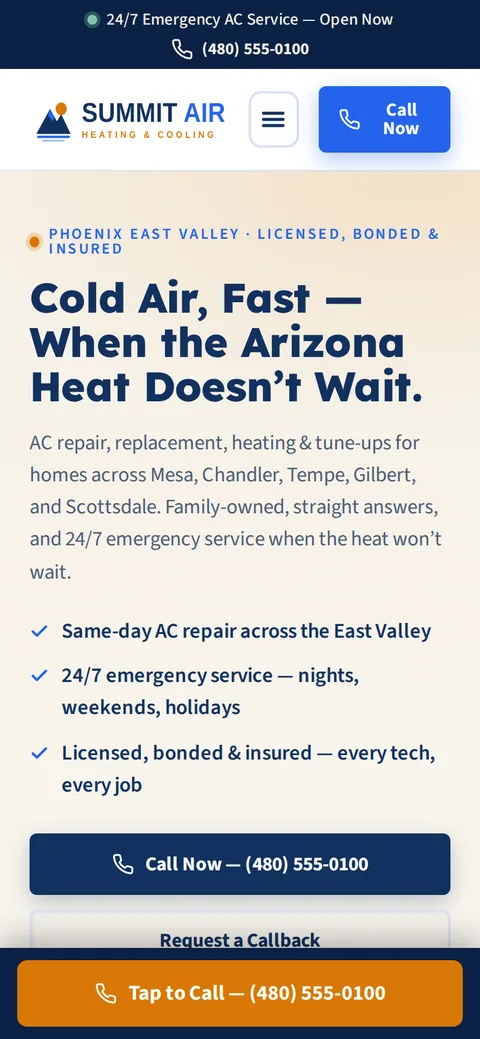
You answer a few questions and we build the site in a few minutes at no cost. Once you've looked it over, you can put it live on your own domain. It has a call button and a quote form, and the form sends each request to your Inbox. Most of your customers will find you on a phone, so that's what we build for first.
- Designed and written around your trade, logo and colors
- We host it, keep it secure and update it
- Set up so Google and AI search tools like ChatGPT can read it
- A call button and a quote form on every screen
Booking & scheduling
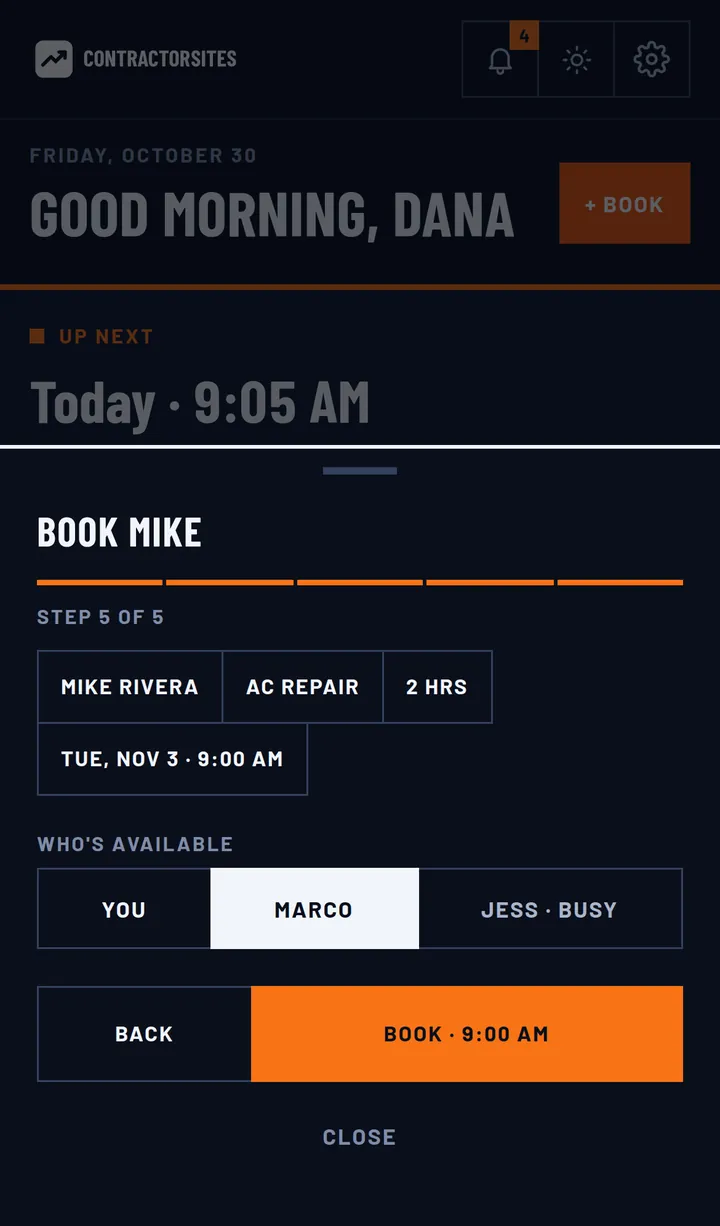
You can book a job from your phone in a few taps. Pick the service, which already has its price and length, and check who on your crew is free. The customer gets a confirmation right away.
- You can see who is busy and which days are already full
- Services carry their own prices and lengths, and jobs can run several days
- Confirmations, reminders and “on my way” notices go out without you
Estimates that get signed
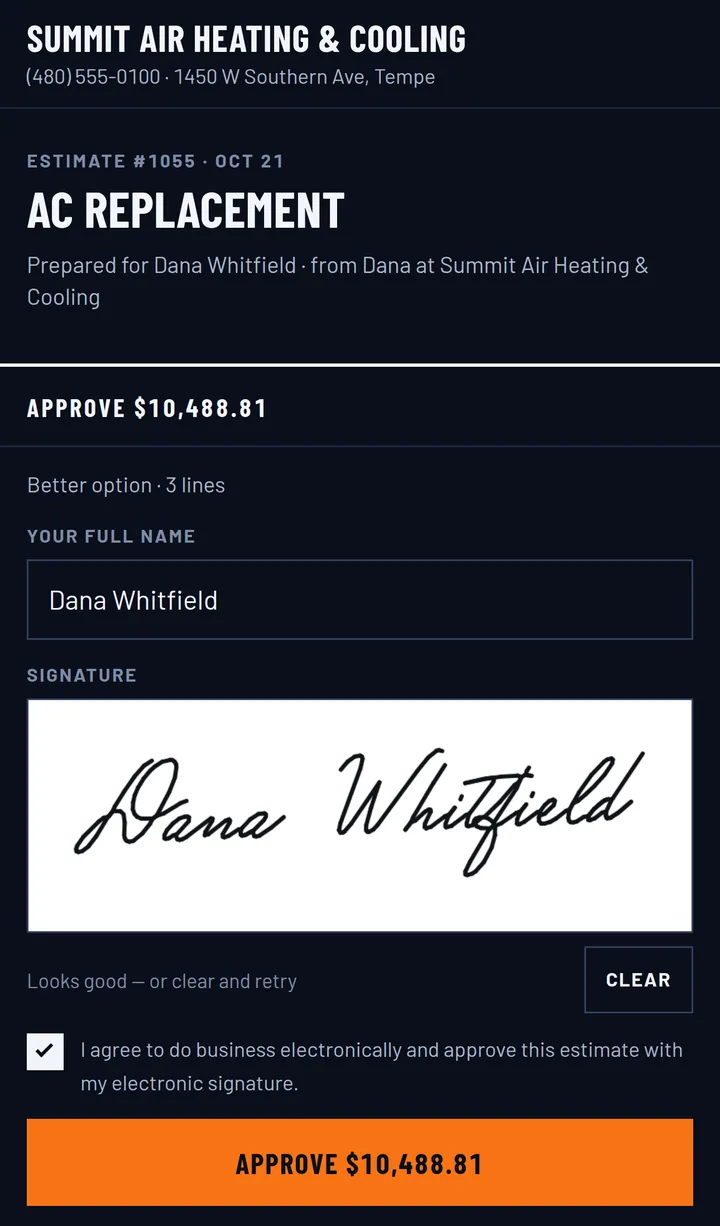
An estimate takes a couple of minutes to build from your price book. You can offer Good, Better and Best options and attach photos, notes and your contract. The customer opens it on their phone, picks one, signs it and pays the deposit.
- Good / Better / Best options pulled from your price book
- The signature and the deposit come in when they approve
- A reminder goes out if they haven't opened it
Get paid on the spot
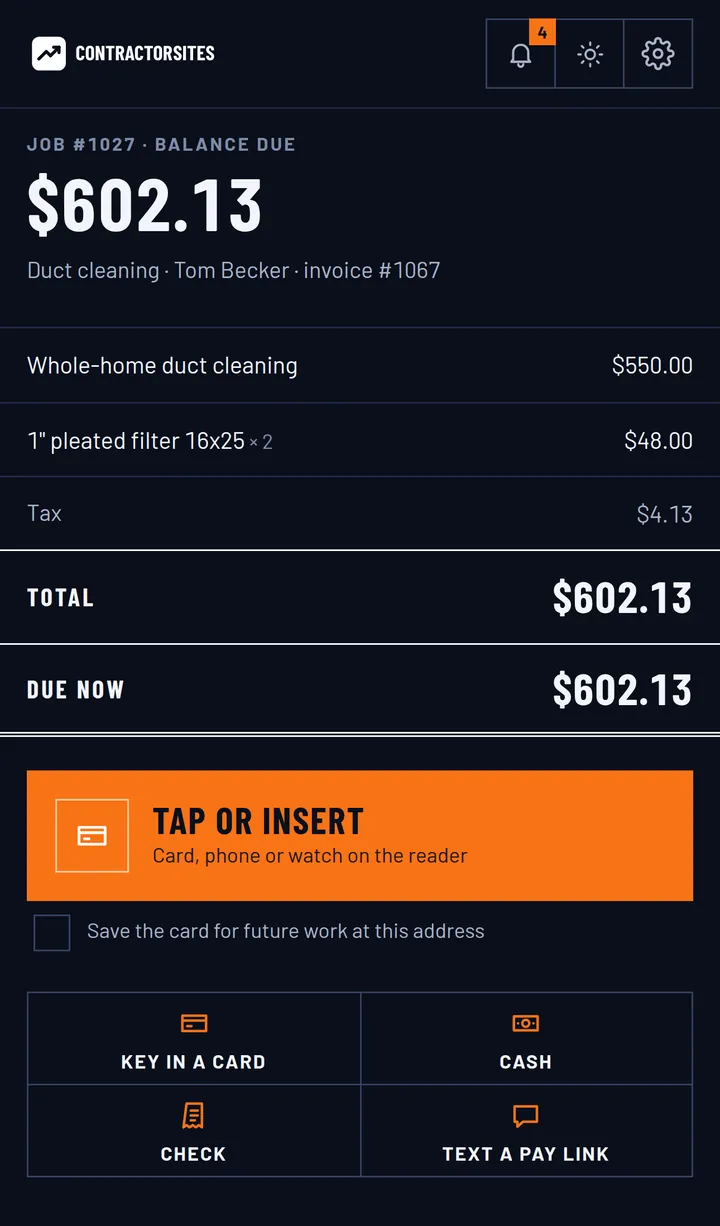
You can send the invoice with a pay link or take the card while you're still at the job, either keyed in or tapped on a reader. Customers can also pay by bank transfer or with financing, and they can add a tip. The money goes through your own Stripe or Square account.
- Card, tap, bank transfer (ACH), financing, cash or check
- Deposits and payment plans, with reminders when one is overdue
- Receipts carry your logo and sync to QuickBooks Online
Every lead in one Inbox
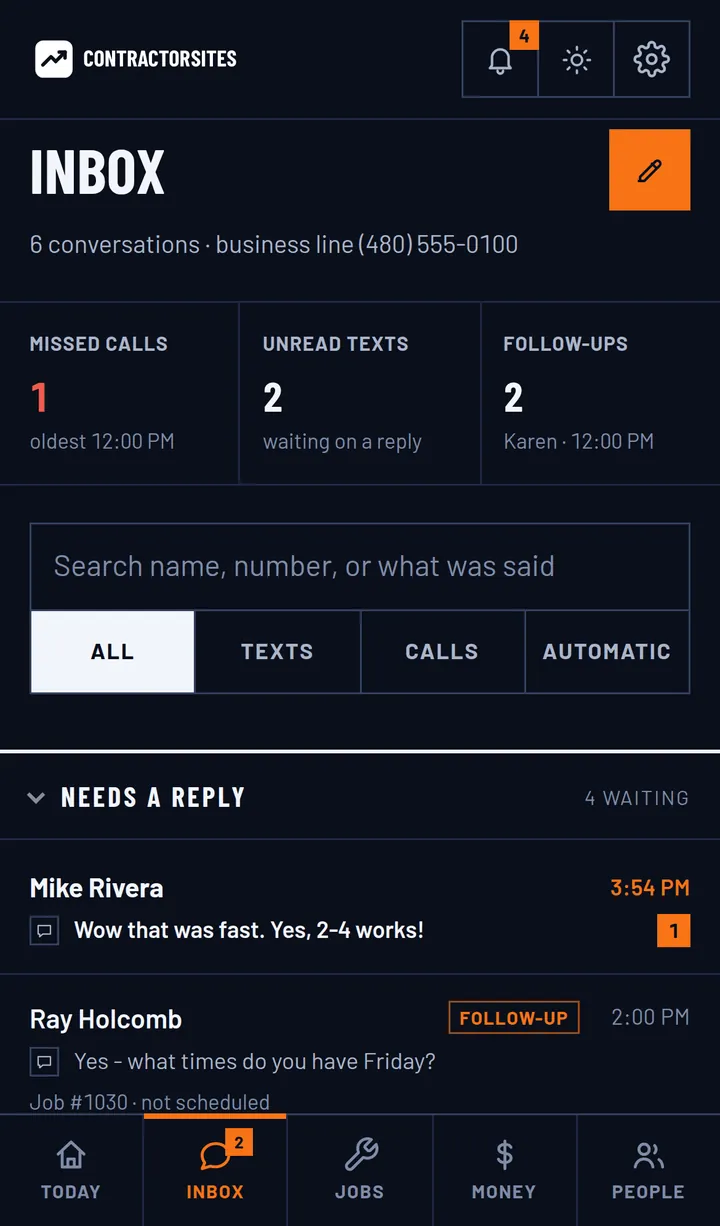
78% of customers hire the first company that responds. Leads from your website all land in one Inbox, and you get an alert when a new one arrives. That gives you a chance to reply while they're still looking.
- Each customer has one thread, so nothing gets split up
- You can flag a lead for follow-up and see what's unread
- You're alerted as soon as a new lead comes in
Review requests that send themselves
When a job is finished, the app asks the customer for a rating. If they're happy, it sends them to your Google review page. If they aren't, the feedback comes to you privately so you can deal with it.
- Every finished job gets a rating request
- An unhappy customer reaches you before Google
- You can reply to your Google reviews from the app

The full list
You get all of this with your website for $29/month. Paying yearly is $290, which gives you 2 months free.
The Today screen
- Where each person on your crew is, and their next stop
- Money collected today, updated as payments come in
- The next 4 weeks at a glance, and a calendar for any other date
- "+ Book" shows who is busy and which days are already full
Booking & scheduling
- Your services are saved with their prices and job lengths
- Jobs can run several days and be assigned to a crew
- Confirmations and reminders go out without you sending them
- The customer gets an "on my way" notice when your crew heads over
Estimates that close
- Any estimate can offer Good / Better / Best options
- A price book you can organize into categories and bundles
- Attach photos, notes and your contract
- The customer signs from a link that works on their phone
- The deposit is collected when they approve
- A reminder goes out if the estimate sits unopened
Jobs & invoicing
- An approved estimate turns into a job, so you never retype it
- Send invoices, take deposits and set up payment plans
- The customer pays from a link on their phone
- Reminders go out when an invoice is overdue
- The customer initials any change order
Getting paid
- Key in a card, or tap it on a card reader
- Bank transfer (ACH) and customer financing
- Cash and checks, with a cash discount if you offer one
- Tips, saved cards and refunds
- Payouts are tracked, and they go to your own Stripe or Square account
The crew app
- Tap "on my way" and mark when they arrive
- Write the estimate on site, show it to the customer and get it signed
- Take before and after photos of the job
- Take payment and send a receipt with your logo on it
One Inbox
- A lead from your website form shows up here, and you get an alert
- Each customer has a single thread
- Flag a lead for follow-up and see what you have not read yet
Reviews
- Every finished job gets a rating request
- A happy customer is sent to your Google review page
- An unhappy customer reaches you privately first
- You can reply to your Google reviews from the app
Team & notifications
- Separate roles for the owner, the office and the crew
- A crew member only sees their own stops
- Each person picks how they want to be alerted
- Alerts for new leads, payments and low ratings
QuickBooks Online sync
- Customers and items
- Invoices and payments
- Refunds and deposits
- You never enter anything twice, and your books match the app
One plan
Website + CRM is $29/month. We build your website free and keep it live on your domain, and you get everything on this page with it.
There's no contract and no setup fee.
It connects to what you already use
You connect your own accounts once. After that, payments go to your bank, your books stay up to date and your Google reviews show up in the app.
- QuickBooks OnlineCustomers, invoices and payments are copied over for you, along with items, refunds and deposits.
- StripeTake cards, bank transfers and tips through your own Stripe account.
- SquareIf you use Square, payments and the card reader run through your own account.
- Google Business ProfileCheck your rating and reply to Google reviews from inside the app.
- Google reviewsAfter the job, a happy customer is sent to your Google review page.
Want this set up for your business?
It starts with the free website, which we build in a few minutes. If you like it, you put it live for $29/month and the CRM comes with it. There's no contract and no setup fee.